

IPTV scams aimed at Maryland households do not announce themselves. They borrow the name of a real app, sit on a website address that looks trustworthy, or ask for payment in a way that cannot be reversed. This page describes the patterns that turn up around IPTV, the signs worth checking before paying anyone, and what to do if you already have.
It is about whether a seller is who they claim to be; whether a service holds the rights to what it streams is a separate question, covered in our guide to whether IPTV is legal.
The IPTV scams documented here borrow a real app’s name, offer paid “activation” the developer does not sell, or appear on trusted websites where someone has planted a sales page. The Federal Trade Commission says anyone who insists on payment by gift card, wire transfer or cryptocurrency is a scammer. If you already paid, contact your payment method first, then report it to the FTC and, in Maryland, the Attorney General’s Consumer Protection Division.
How IPTV Scams Work
The patterns below were observed while researching this site’s app and setup guides. None of them depends on whether a service is licensed; they depend on someone pretending to be what they are not.
Look-Alike Sites That Borrow an App’s Name
Several IPTV app developers publish warnings about websites that use their names. The operator of IBO Player says on its developer notice that iboiptv.com is its only official website, that any other website using the name is fake, and names iboplayer.org and iboplayer.net as scam or fake websites; the second presents itself under the heading “IBO PLAYER OFFICIAL ACTIVATION.” OTTRUN, the developer of XCIPTV PLAYER, says on its own site that it has no affiliation with XCIPTV.COM, XCIP.TV or any other domain containing “XCIPTV,” and that it owns no Samsung or LG TV apps. The Smarters Pro website warns that some sites copy its name, branding and content to sell IPTV subscriptions, and asks users to check that the address starts with smarterspro.com.
The lesson from all three is the same: a website using an app’s name is not necessarily the app’s developer, even when it calls itself official. Our pages on IBO Player, XCIPTV and IPTV Smarters set out what each developer’s own sources say.
Sales Pages Planted on Trusted Websites
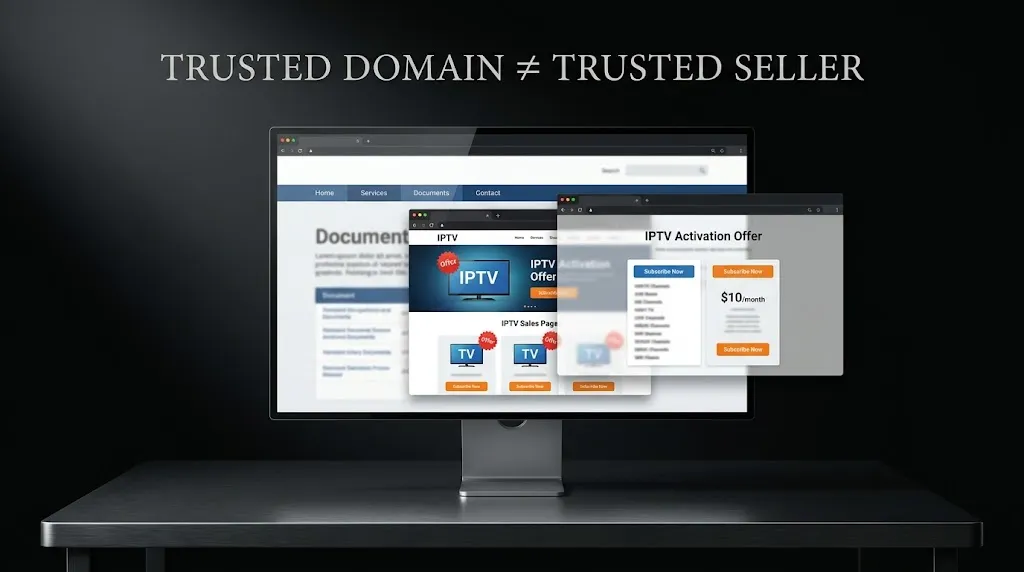
A trusted address in the browser bar does not mean the trusted organization wrote the page. During research for this site, pages and PDF files selling IPTV subscriptions turned up on the websites of several U.S. city governments, universities, a federal agency’s online forum and a state agency’s document portal, as well as in the blog sections of online stores that have nothing to do with television. Some of these pages carried titles about avoiding scams or finding legal IPTV.
The organizations whose websites hosted these pages are not the sellers; their sites were used to borrow credibility. This page does not name or link them, because a link would only send visitors to the sales pages. The practical point is simple: a .gov or .edu address, or a well-known store’s domain, says nothing about who wrote a page selling IPTV.
Paid “Activation” the Developer Doesn’t Offer
Some players require a paid activation after a trial, which gives look-alike sites a product to sell. IBO Player’s App Store listing describes a trial followed by activation, and several sites using the IBO name offer activation or device licenses of their own.
When a player needs activation, the developer’s own listing or website says where it is done; a site that is not on that list is selling something the developer has not authorized. Our IPTV apps guide explains how to check a developer’s official sources.
Download Codes That Hide Where a File Comes From
On Fire TV, the setup guides reviewed for this site tell readers to type a short number into the Downloader app. AFTVnews, which publishes Downloader, explains that its URL shortener lets anyone turn any web address into such a code, and that the shortener is not private.
A code says nothing about who published the file it points to. Our guide to IPTV setup on Firestick covers what to check instead.
Signs to Check Before You Pay
None of the signs below proves a seller is trustworthy. A professional-looking site, a secure (HTTPS) connection, a company name or an accepted payment method are all things a scammer can have too. They are checks that can rule a seller out, not guarantees that rule one in.
How They Ask You to Pay
This is the clearest sign, and it comes from the Federal Trade Commission. The FTC’s fraud-reporting FAQ says scammers tell you to pay in a specific way, by gift card, wire transfer or cryptocurrency, because they want it to be hard to get your money back, and that anyone who tells you to pay in one of those ways is a scammer.
The FTC’s guide to what to do if you were scammed adds that cryptocurrency payments do not have the same legal protections as credit and debit cards.
An IPTV seller who only accepts gift cards, cryptocurrency, wire transfers or a payment app sent to a personal account is showing the pattern the FTC describes.
Who Is Actually Selling
A seller you can identify is easier to hold to account than one you cannot: a company name, a business address, a way to reach someone, and terms of service published under that name.
The absence of all of these is a warning. Their presence is not proof of anything, and whether a service holds the rights to its channels is a separate matter, covered in the legal guide linked above.
Whether the Name Matches the Developer
When a seller offers an app, an activation or a subscription “for” a named player, compare the website with the sources the player’s developer publishes. If the developer names a single official site, a different site using the name is not the developer, whatever it calls itself.
If You Already Paid
Speed matters more than anything else here.
Contact Your Payment Method First
The FTC advises contacting the company you paid through right away. Its guide to what to do if you were scammed sets out the steps by payment type: for a bank transfer or a payment app, contact your bank or the app and ask for a reversal; for a gift card, contact the gift card issuer and keep the card and receipt; for a wire transfer, contact the transfer company; for cryptocurrency, contact the exchange or ATM operator. The FTC is candid that some of these are hard to reverse, which is why the payment method matters so much before paying.
Report It
Reports can be filed with the FTC at ReportFraud.ftc.gov, the federal government’s site for reporting fraud and scams. In Maryland, the Office of the Attorney General’s Consumer Protection Division says it helps Maryland consumers resolve disputes with businesses through mediation, including for people who live elsewhere when the transaction took place in Maryland.
Its complaint form notes that the Attorney General is not the complainant’s private attorney, so a report starts a process rather than guaranteeing an outcome.
Conclusion
IPTV scams work by borrowing trust: an app’s name, a trusted website’s address, a code that hides where a file comes from, or an “official” label the developer never gave. Developers such as IBO Player’s operator, OTTRUN and Smarters Pro warn about sites using their names, and the FTC’s guidance on payment is the clearest test of all: a seller who insists on gift cards, wire transfers or cryptocurrency is showing the pattern of a scam.
If you already paid, contact the payment company first, then report it to the FTC and, in Maryland, the Attorney General’s Consumer Protection Division.
Whether a service is licensed is a separate question, covered in our guide to whether IPTV is legal. Claims here are checked against primary sources where available, with secondary reporting named where it is the available record, as described on our About page; if a developer’s warnings change, let us know.
Sources
All sources are linked where they are cited above. Accessed September 2026.


[…] The FBI also notes that an indicator alone does not prove malicious activity. A box marketed as “fully loaded” with free content fits several of those indicators at once. The warning signs for those listings are covered on the IPTV scams page. […]