
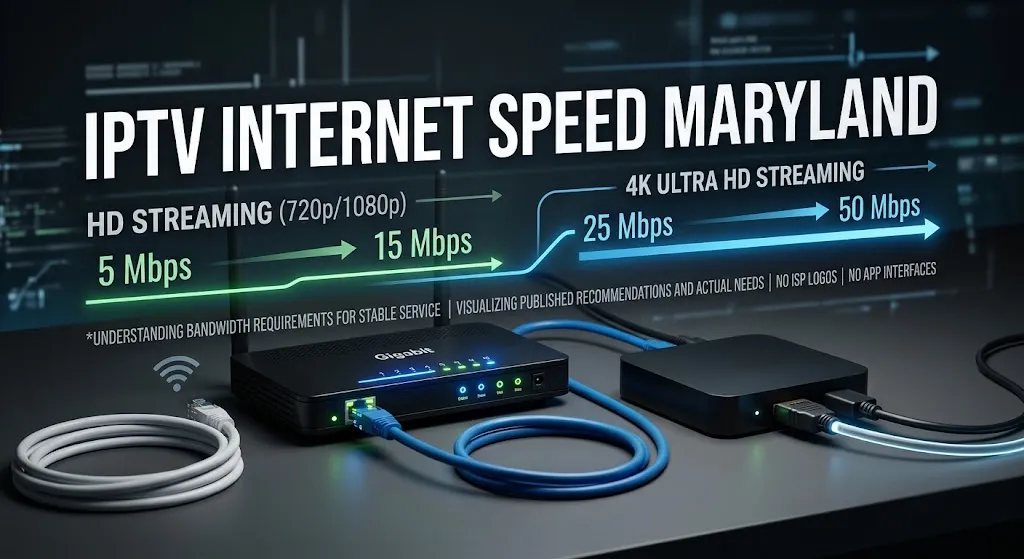

Ask how much IPTV internet speed Maryland households need and you get a different answer from every guide you open. One recommends around five megabits per second for HD. Another recommends fifteen. A third recommends twenty-five. The numbers look contradictory until you examine what each source is actually measuring.
One connection, several demands on it. A speed test measures the quiet moment; playback happens during the busy one.
A single download-speed number cannot fully describe streaming performance. Published minimums for IPTV vary widely because they assume different codecs, conditions, and definitions of adequate. What matters alongside raw capacity is consistency, latency while the connection is actually working, and how the connection is shared across the household.
Why published minimums disagree
The variation is easy to document. Across guides currently ranking for this question, recommended minimums for high-definition playback run from around five megabits per second at the low end to twenty-five at the high end, and 4K recommendations run from twenty-five to fifty or more.
Four assumptions account for most of that spread.
| What one guide assumes | What another assumes | Why the number changes |
|---|---|---|
| An older, less efficient codec | A newer, more efficient codec | The same picture needs less data on a newer codec |
| One stream, nothing else running | A household using the connection normally | The second figure has to cover competing traffic |
| The minimum for playback to start | A margin that survives busy scenes | One describes a floor, the other a working level |
| A wired device beside the router | A device on Wi-Fi across the house | Delivered capacity differs from connection capacity |
Four sources can each be internally consistent and still publish figures that differ fivefold. None of them is being careless; they are answering slightly different questions and presenting the answers identically.
Bandwidth is not bitrate
This distinction sits underneath most confusion about streaming speed, and it is worth getting right before anything else.
What a stream actually carries
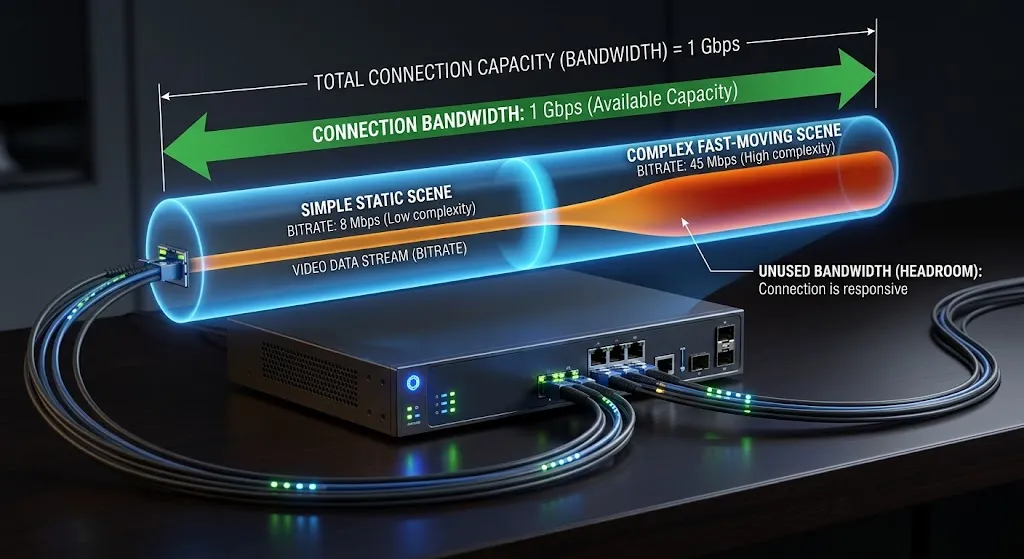
Your connection has bandwidth: capacity, measured in megabits per second. A video stream has a bitrate: how much data it uses per second to describe the picture.
They share a unit, which is why they get treated as the same thing. They are not. Bandwidth is the size of the pipe; bitrate is how much is flowing through it.
Why the rest is headroom
The capacity a stream needs is not simply its bitrate, for one reason: bitrate is not constant.
Most video is encoded at a variable rate. A static shot uses very little data; a fast-moving scene with a lot of detail uses considerably more. A stream can therefore demand more or less capacity at different moments depending on the content and how it was encoded.
That is why a connection needs headroom rather than matching a stream’s nominal bitrate exactly. A connection sized to the average will run short during the scenes that demand the most — which is precisely when breakup is most visible.
What a speed test does not tell you
Idle measurement versus a working connection
This is the most useful thing on this page, and almost nothing published on the subject mentions it.
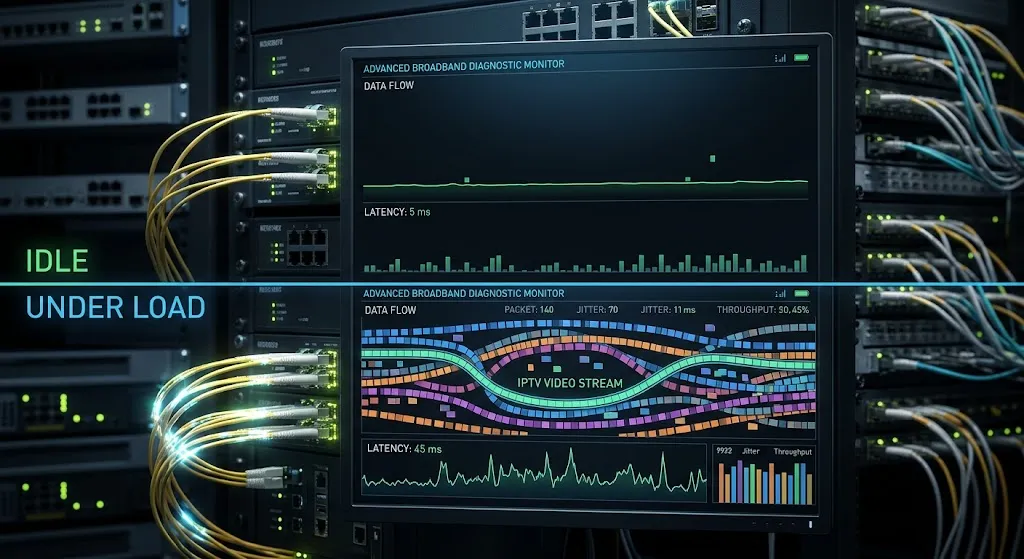
A speed test measures a connection that is otherwise doing nothing. The FCC’s own measurement programme separates these two states explicitly. In its Thirteenth Measuring Broadband America report, the Commission found that latency measured while the connection carries traffic is generally significantly higher than idle latency, with the same report recording idle latency of 13 to 22 milliseconds on cable services and 8 to 14 milliseconds on fiber.
Those idle figures sit close together. The behaviour under load is where connections separate — and a conventional speed test result does not necessarily show how latency behaves while the connection is under sustained load.
The connection tests well and playback still breaks up. The test and the problem are describing different moments.
Consistency matters more than peak
A connection that delivers a steady rate is more useful for live video than one that averages higher but fluctuates. Video playback buffers a few seconds ahead, so a brief shortfall is absorbed. A repeated one is not.
The FCC report measures this too, finding that cable and fiber services generally delivered fairly consistent median download speeds during peak usage periods.
How to run a test that means something
Three adjustments make a speed test more informative.
Run it on the device you actually watch on, not on a phone in a different room. A streaming box on Wi-Fi at the far end of the house is a different connection from a laptop beside the router.
Run it while the household is using the connection normally, not at a quiet moment. The idle number is the best case, not the typical one.
Run it several times across different hours. A single reading describes one moment.
| A speed test measures | Playback depends on |
|---|---|
| Peak capacity at one moment | Capacity sustained over an hour |
| Latency while the connection is idle | Latency while the connection is loaded |
| The device running the test | The device in the room with the television |
| A single reading | Behaviour across an evening |
Neither column is wrong. They describe different things, and only the second one is what you actually experience.
Is 100 Mbps enough? And 200? And 500?
Directly: for a typical Maryland household, 100 Mbps provides substantial download capacity for streaming, and 200 or 500 Mbps add more still. But capacity alone does not determine playback quality, which is why moving from 200 to 500 rarely fixes a playback problem.
What those numbers do not tell you is anything about latency under load, about whether your Wi-Fi delivers that capacity to the room where the television is, about how many devices compete during the evening, or about whether the stream’s source can send reliably in the first place. A household at 100 Mbps with a wired connection and a quiet network will usually have a better experience than one at 500 Mbps with a distant access point and four people streaming.
Capacity behaves like a threshold, not a dial. Past a certain point, adding more stops helping, and the remaining problems sit elsewhere in the chain.
For context rather than as a requirement: the FCC raised its benchmark for high-speed fixed broadband to 100 Mbps download and 20 Mbps upload in March 2024, a fourfold increase on the 25/3 figure set in 2015. That is a general definition of adequate broadband for all household uses, not a television requirement — but it is a useful neutral reference point in a field where most published figures come from someone selling something.
IPTV internet speed Maryland households should plan for
Connection type affects consistency, not just the number
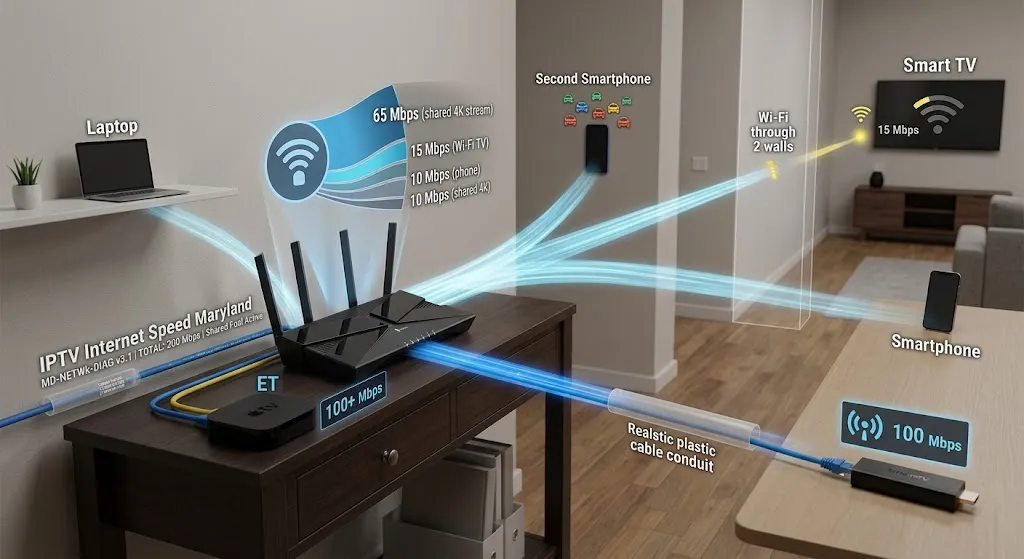
Maryland households are served mainly by cable and fiber connections, and the difference between them shows up less in headline speed than in how each behaves while working — latency under load, and consistency during busy hours.
That distinction, and what each delivery method means for television specifically, is covered in our comparison of IPTV and cable delivery in Maryland rather than repeated here.
Upload capacity, and why it appears in this conversation
Watching television is overwhelmingly a download activity, so upload capacity rarely limits playback directly.
It becomes relevant indirectly. Upload capacity is typically lower than download on cable services, and when it saturates — a large backup running, a video call, several devices syncing — the effects spill over into everything else on the connection, including video that is only downloading.
Data usage over a month
Continuous live video consumes substantially more data than browsing or social media, and a household that moves its main television viewing onto an internet connection will see monthly usage rise noticeably.
If your plan carries a monthly data allowance, check it before assuming the change is invisible. This is one of the few genuinely predictable consequences of the switch.
Other connection types
Satellite and fixed wireless services are available in parts of Maryland where wired options are limited. Both can carry video, but both tend to show higher and more variable latency than wired connections — and as above, latency behaviour matters more for live playback than the download figure does.
What to take from this
There is no single correct IPTV internet speed Maryland figure, which is why every guide publishes a different one. Capacity matters up to a threshold that most Maryland broadband connections already clear.
Past that threshold, the useful questions change.
| Question worth asking | Why it matters more than the headline number |
|---|---|
| Is the connection consistent while the household is using it? | Live video absorbs a brief shortfall, not a repeated one |
| Does the room with the television receive what the connection delivers? | Wi-Fi distance and walls reduce capacity before it arrives |
| Is the device wired or wireless? | A wired device removes the most variable link in the chain |
| Does the plan have a monthly data allowance? | Continuous video raises usage in a predictable way |
Understanding what IPTV covers in the first place makes the rest of this easier to reason about. And if playback is already breaking up, that is a diagnostic question rather than a capacity one — worked through in order rather than solved by upgrading a plan.
Every claim here is checked against a primary source before publication — how that works is set out in full. If something on this page is wrong, telling us is the fastest way to get it corrected.
Sources
- Federal Communications Commission — Measuring Fixed Broadband — Thirteenth Report — https://www.fcc.gov/reports-research/reports/measuring-broadband-america/measuring-fixed-broadband-thirteenth-report (accessed September 2026)
- Federal Communications Commission — FCC Increases Broadband Speed Benchmark, March 14, 2024 — https://docs.fcc.gov/public/attachments/DOC-401205A1.pdf (accessed September 2026)
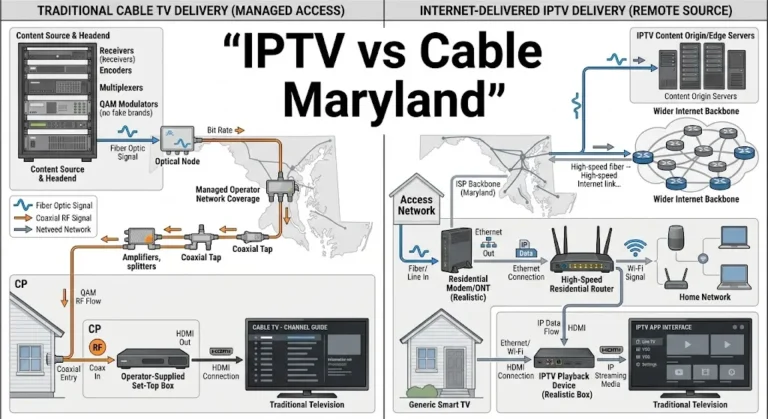





[…] A wired connection can matter because live streams share the home network with everything else in the house. How much headroom a Maryland connection needs is a separate question, covered in our guide to internet speed for IPTV in Maryland. […]
[…] Some listings and search summaries give fixed minimums, such as a set amount of RAM or a Gigabit port. Those figures rarely come with a source, and this page does not adopt any. What you can compare is what each manufacturer lists. Storage holds every app you install and the data each keeps, such as program guides. The Ethernet port’s rated speed is listed separately from Wi-Fi. The Android version matters if a player’s developer states a minimum. How much capacity a stream needs on a Maryland connection is covered in IPTV internet speed in Maryland. […]