
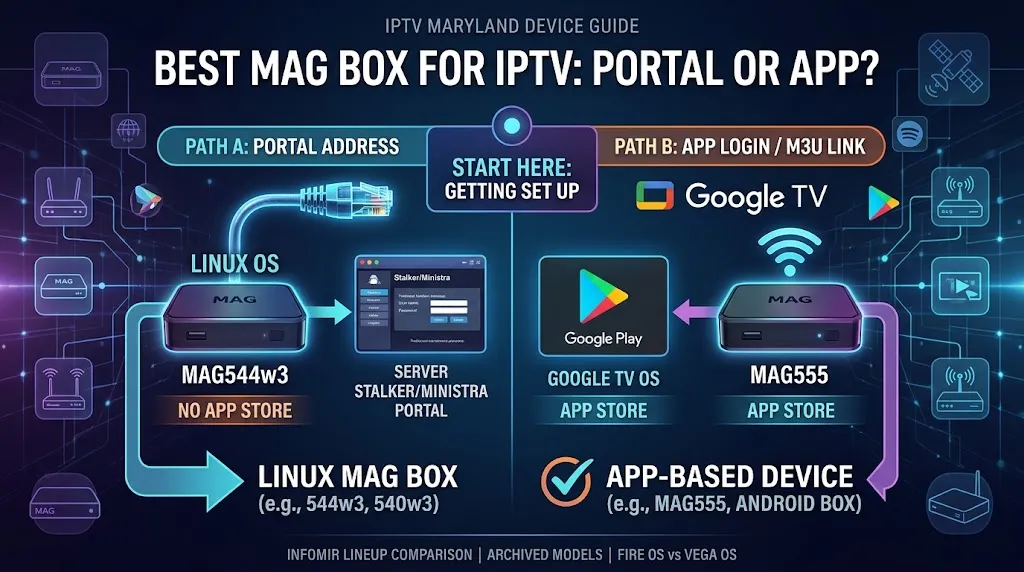
If someone told you to “get a MAG box,” the model number matters less than one question: what did your service actually give you?
Choosing the best MAG box for IPTV starts there, because Infomir’s current lineup splits into two very different kinds of device. This page sorts out which kind fits your setup, and when a MAG isn’t the right device at all. For the wider device picture, see our IPTV devices guide.
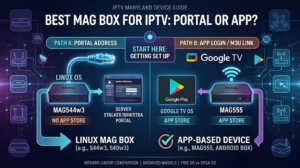
The best MAG box for IPTV depends on how your service connects you. Infomir’s three current Linux models, MAG544w3, MAG540w3 and MAG540w3 RDK, are designed to be set up with a portal address from a service. MAG555 runs Google TV and gets its apps from Google Play. If you have a portal address, a Linux MAG fits. If you have an app login or an M3U link, look at MAG555 or another app-based device.
What a MAG Box Is, and Who Infomir Builds It For
MAG boxes are made by Infomir, and the company is clear about who its main customer is. Its model selection page describes MAG as “a brand of European set-top boxes for modern operators.” The product pages are set up for business orders, with a project request form and quantities quoted from 10 units upward.
That doesn’t stop you from buying a single box. It explains why choosing one comes down to what your service supports rather than raw specs. “IPTV” also means several different things in Maryland, from internet company TV equipment to third-party apps; our IPTV Maryland guide draws those lines.
Linux Models Run a Portal, Not an App Store
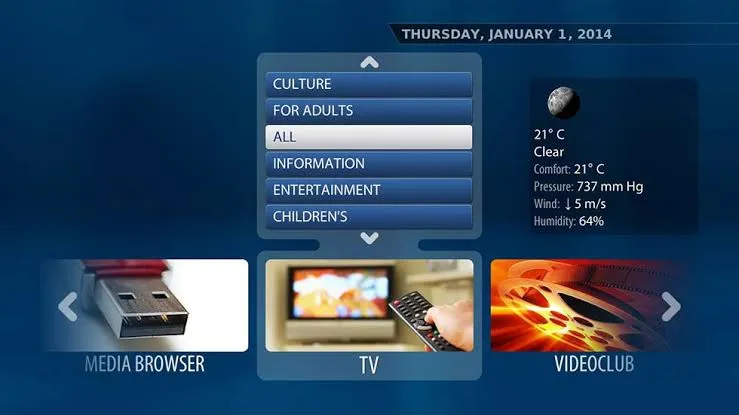
Three of the four current models run Linux 4.9, according to Infomir’s comparison. On its MAG544 page, Infomir writes that apps for its Linux boxes are developed “as webpages using HTML, CSS, and JavaScript.” What you see on screen comes from the portal your service runs, not from a store you browse yourself.
A Linux MAG is designed to be set up with a portal address from your service. If you don’t have one, ask your service what it supports before you buy. Entering the address is a setup step, and our IPTV setup guide explains how setup works across devices.
The Exception: MAG555 on Google TV
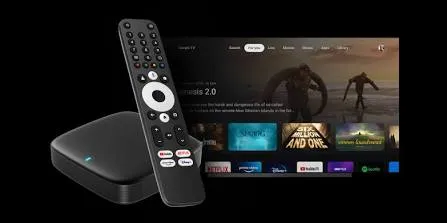
MAG555 is the exception. Infomir’s MAG555 datasheet lists Google TV 12, so apps come from Google Play, as on other Google TV devices. In practice, MAG555 has more in common with a Google TV box than with the Linux MAGs that share its brand name. The checks in our Android box guide apply to it as well.
Start Here: Has Your Service Given You a Portal Address?
IPTV logins usually arrive in one of three forms: a portal address, an app login with a server, username and password, or an M3U playlist link. Our Roku IPTV page shows how to tell them apart. Find your situation below.
You Have a Portal Address
A Linux MAG is built for this situation. Your remaining choices are Wi‑Fi or wired, and which shape of box suits your setup; the lineup section below covers both.
This branch also applies if you’re in Maryland and a service carrying channels from your home country sent you a portal address with an instruction to buy a MAG. Before ordering, confirm with that service which models it supports.
You Use an IPTV App Login
If your service gave you a server address, username and password for an app, a Linux MAG isn’t the direct route. MAG555 is , because it installs apps from Google Play. Other app-based devices work the same way. Check the player’s Google Play listing for the login type you have, and see our IPTV apps guide for how to read a listing.
You Have an M3U Playlist Link
If your service gave you an M3U playlist link rather than a portal address, an app-based device is the more direct route. Look for a player whose listing names M3U, then choose a device that runs it.
You Want One Box for Everything
Some people want IPTV and their regular streaming apps on the same box. That calls for a device with an app store. Among current MAG models, that’s MAG555. The Linux models are built around the portal your service runs.
The Best MAG Box for IPTV in Infomir’s Current Lineup
Infomir’s comparison page lists four current models. Three of them also come in a version without Wi‑Fi. When people search for the best MAG box for IPTV, they’re usually choosing among the models in this table.
| Model | System | Connection | How content loads | Fits when |
|---|---|---|---|---|
| MAG544w3 | Linux 4.9 | Ethernet + dual-band Wi‑Fi 5 | Portal from your service | You have a portal address and need Wi‑Fi |
| MAG544 | Linux 4.9 | Ethernet only | Portal from your service | You have a portal address and a wired connection |
| MAG540w3 | Linux 4.9 | Ethernet + dual-band Wi‑Fi 5 | Portal from your service | You have a portal address and need Wi‑Fi |
| MAG540 | Linux 4.9 | Ethernet only | Portal from your service | You have a portal address and a wired connection |
| MAG540w3 RDK | Linux 4.9 (RDK-V) | Ethernet + dual-band Wi‑Fi 5 | Your service’s RDK platform | Your service tells you it runs on RDK |
| MAG540 RDK | Linux 4.9 (RDK-V) | Ethernet only | Your service’s RDK platform | Your service runs on RDK and you’re wired |
| MAG555 | Google TV 12 | Ethernet, Wi‑Fi, Bluetooth 5.0 | Apps from Google Play | You use an app login or M3U link |
Models ending in -w3 have a built-in dual-band Wi‑Fi 5 (802.11ac) module. The versions without -w3 connect by Ethernet only. All four current models list a 100 Mbps Ethernet port and HDMI 2.1. On Infomir’s comparison page, HEVC is marked as optional on the three Linux models and listed without that note on MAG555.
MAG544w3 and MAG544
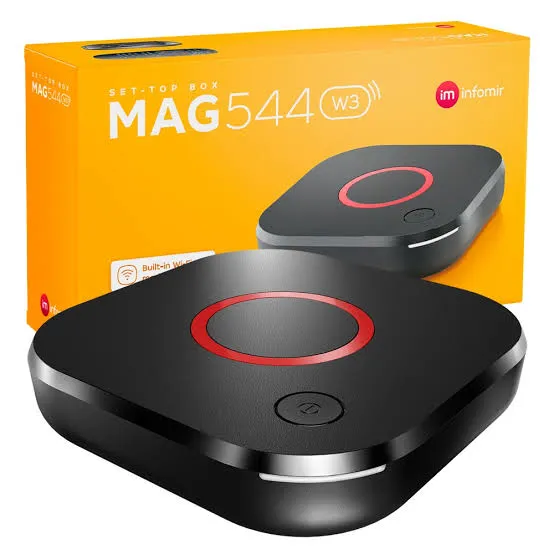
Infomir states that the MAG544 and MAG544w3 use the Amlogic S905Y4 chipset with a quad-core ARM Cortex-A35 processor. Both have 1 GB of RAM, 4 GB of eMMC storage and two USB 2.0 ports. They use Infomir’s MicroFusion design and measure 115 × 115 × 28 mm. The w3 version adds Wi‑Fi; the plain MAG544 is wired only.
MAG540w3 and MAG540
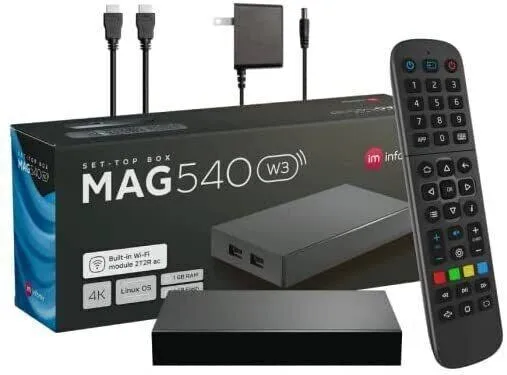
Infomir’s comparison lists the same operating system, chipset, memory and storage for MAG540w3 and MAG544w3. What differs is the design and the size of the box. The MAG540 models use the Qubic design and measure 120 × 78 × 21 mm. Between the 540 and 544, go by which model your service names, then by which shape fits your TV stand.
MAG540w3 RDK
Infomir’s MAG540 RDK page presents the model as a solution for IPTV operators, giving them access to RDK platform features. Unless your service tells you it runs on RDK, this isn’t a model to pick on your own. As with the other Linux models, the w3 version has Wi‑Fi and the plain version is wired only.
MAG555
MAG555 runs Google TV 12 on the Amlogic S905Y4-B chipset, with 2 GB of RAM and 16 GB of eMMC storage, according to Infomir’s datasheet. It adds Bluetooth 5.0, which the Linux models don’t list. It suits readers whose service works through apps, or who want their other streaming apps on the same box. For app logins it’s a Google TV box first and a MAG second.
Older MAG Models You’ll Still See for Sale
Which Models Infomir Lists in Its Archive
Infomir lists MAG520, MAG524, MAG420, MAG322 and MAG324 in the archive section of its site. See, for example, the MAG520, MAG524 and MAG324 pages. These models still appear on marketplaces, and at least one “best IPTV box” list in current search results still recommends the MAG324.
An archived listing tells you a model is no longer in Infomir’s current lineup. It doesn’t tell you whether your service still supports that model. Ask your service before you buy one.
What to Check Before Buying an Older or Used Box
- The model number on the label matches the listing. Check the suffix too: the w versions, such as MAG324w2 or MAG420w1, are the ones with built-in Wi‑Fi.
- Your service supports that exact model. Get the answer before you pay, not after.
- The remote and power supply are included. Used listings sometimes sell the box without them.
- The listing sells hardware only. If it bundles channels or a subscription, read the section below first.
MAG Box vs Android Box, Firestick and Formuler
The useful comparison isn’t which box is better in general. It’s which kind of software each one runs, because that decides what you can load on it.
Linux MAG. The box is built around a portal. Your service’s portal provides what you see, and there’s no app store for you to browse.
Google TV and Android TV boxes, including MAG555. These have an app store, so you install a player that supports your login.
Fire TV. It depends on the model. As our Fire TV Stick guide explains, some models run the Android-based Fire OS and newer models run Vega OS.
Formuler. Formuler boxes run Android-based software with an IPTV client built in; our Formuler guide covers the current models.
| If you… | Look at |
|---|---|
| Have a portal address and want a box built around it | A Linux MAG: MAG544w3 or MAG540w3 |
| Want Infomir hardware with an app store | MAG555 |
| Want a specific Android player | Android box for IPTV or a Fire OS Fire TV model |
| Want an IPTV client built into the device | A Formuler box |
| Want to keep the Roku you already own | A Roku store player that names your login type |
So, is a MAG box better than a Firestick? Neither wins in general. A Linux MAG fits a portal address, and a Firestick fits app-based logins, depending on whether it runs Fire OS or Vega OS.
What a MAG Box Doesn’t Come With
A MAG box contains no channels. The box plays what your service provides; the hardware and the content are separate things. If a listing promises a “fully loaded” box, read our IPTV scams guide before you buy.
Maryland IPTV doesn’t name or recommend IPTV services. For the legal side of the content itself, see Is IPTV Legal, and for what this site does and doesn’t do, see our DMCA disclaimer.
Before You Buy a MAG Box
Finding the best MAG box for IPTV comes down to the address, not the model number. Run through this before ordering:
- Know what your service gave you: a portal address, an app login or an M3U link.
- Portal address: a current Linux model, MAG544w3 or MAG540w3. Pick -w3 if you need Wi‑Fi, or the plain version if you’ll use a cable.
- RDK: only if your service tells you it runs on RDK.
- App login or M3U link: MAG555 or another app-based device.
- Older or used box: check whether it’s archived and ask your service whether it supports that model.
If something on this page doesn’t match what you’re seeing, contact us. For every other kind of device, go back to our IPTV devices guide.